Statements
see what’s new with our products
A Message From Our Team
Happy October! 🎃 Fall into our latest batch of updates designed to make managing your financial institution even smoother. This month, we're excited to highlight new features for the Banno Support app case queue, seamless browser-based key generation for developers, the launch of our new Origination Pilot & Beta Hub for lending and deposits, and so much more. Dive in below to see what's new!

Mobile App UX Design Evolution
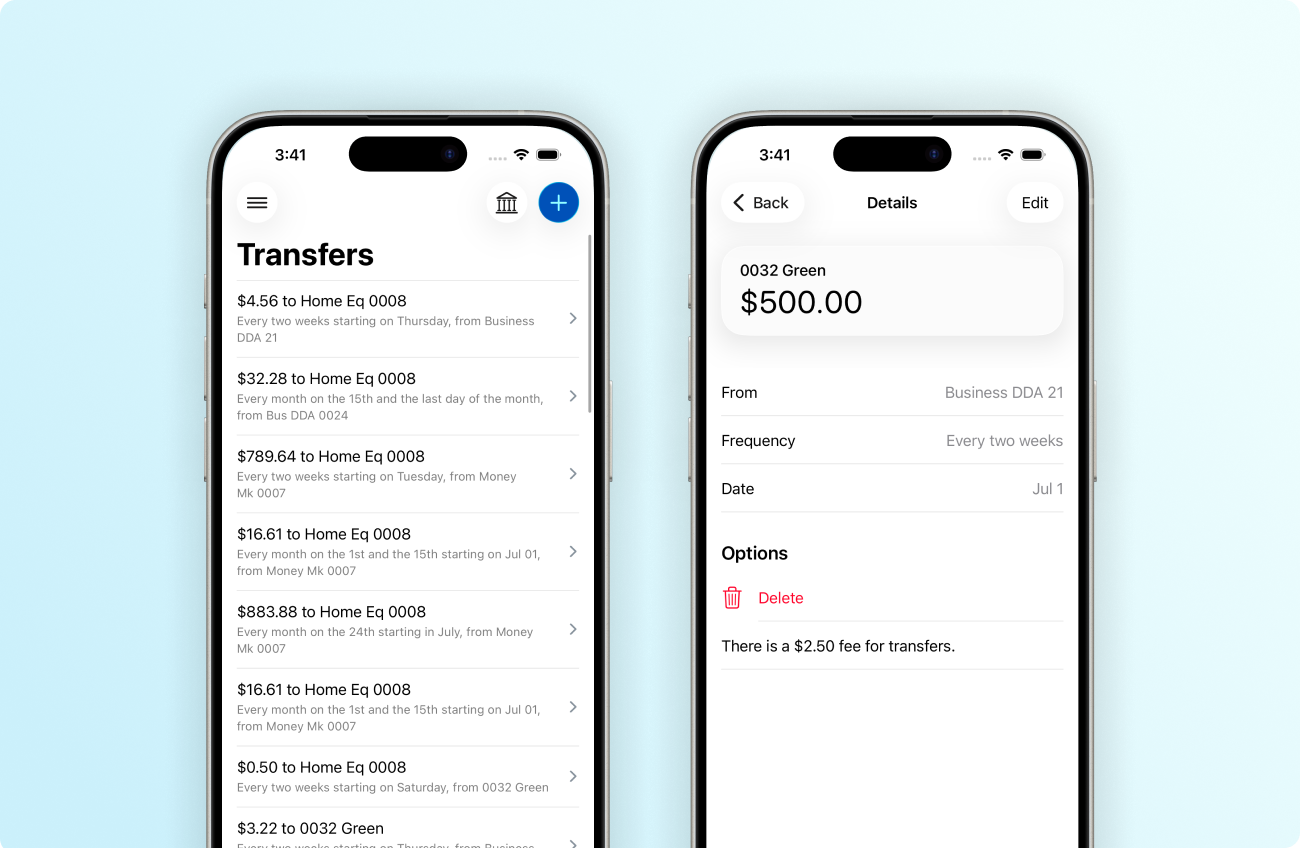
As our iterative work continues progressing toward the complete cutover, later this summer, to Apple’s Liquid Glass design system and Google’s updated Material Design 3, you can follow our user experience (UX) updates and plans on the Knowledge Base – Android App UX Evolution.
iOS App
After upgrading to Banno Mobile 3.36, your accountholders will see that we’ve refined additional money movement forms throughout the app. The animation changes are particularly evident.
These and other updates in 3.36 free us to further extend the app in ways that weren’t previously possible. For example, the app will be able to support more robust deep linking – something that (in the future) we may leverage to implement consumer-facing AI assist functionality or, perhaps, build an integration with the impressive Siri AI experiences Apple announced earlier this month.
In Mobile 3.36, the Scheduled transfers and ACH batch details screens will inherit the same style changes we shipped for Rapid Transfers in Mobile 3.35. The new design reduces visual clutter by swapping boxed cards for a clean, full-width list, improving text hierarchy, and moving action buttons into the top navigation bar to maximize screen space.
For details on the specific screens we’re updating in version 3.36, please reference our iOS App UX Evolution Knowledge Base article.
Android App
With Mobile 3.36 for Android, your accountholders will see a refreshed look on the Alert settings screen, much like the previously released UX changes to the Recently used devices screen.
Additionally, to create a new alert, now accountholders will tap the + button in the lower-right corner of the Alert preferences screen. They will then see the menu of available options. When creating or editing an alert, they should also notice that the details are presented on a full screen rather than the more-compact dialog that previous versions of the app used.
See additional information about what to expect with version 3.36 for Android (and beyond) on the Knowledge Base.